

25% off All Backing Tracks Use Code BETTERTRAX at checkout
Stop Sounding Like a Jazz Robot
Every jazz musician has this app on their phone, but we all know it sounds like shit and can’t swing. If this is your main practice tool, you’re just going to sound like another jazz robot.
So in this article, I’ll show you some new apps that fix the iReal Pro problem, why you should still keep this app on your phone and how ditching backing tracks altogether might be the best way to improve your playing.
The Problem with iReal Pro
I bought iReal pro when it first came out a long time ago. I think I paid $5 for it at the time. Now it costs about $20 and it’s still a no brainer, every musician should have this app on their phone.
It works as a backing track generator in all different styles of music, you can adjust the tempo, change the key and it will play any chord progression you tell it to in a variety of styles.
The best feature is that you can input your own chord progressions, edit existing ones, and share them with other musicians who already have the app on their phone.
The problem is that the instruments are midi generated making it sound like the Minecraft of backing tracks. Music, especially jazz, needs a human element to sound authentic. And this app just cannot do that.
So as a tool it’s one of the best $20 purchases a musician can make. But when it comes to practicing music, there are much better options out there. I’ve found a few new ones that each have their own strengths and weaknesses you should know about.
I have no affiliation with any of these apps, and this video is not sponsored in any way. These are just tools I’ve been working with.
Quartet
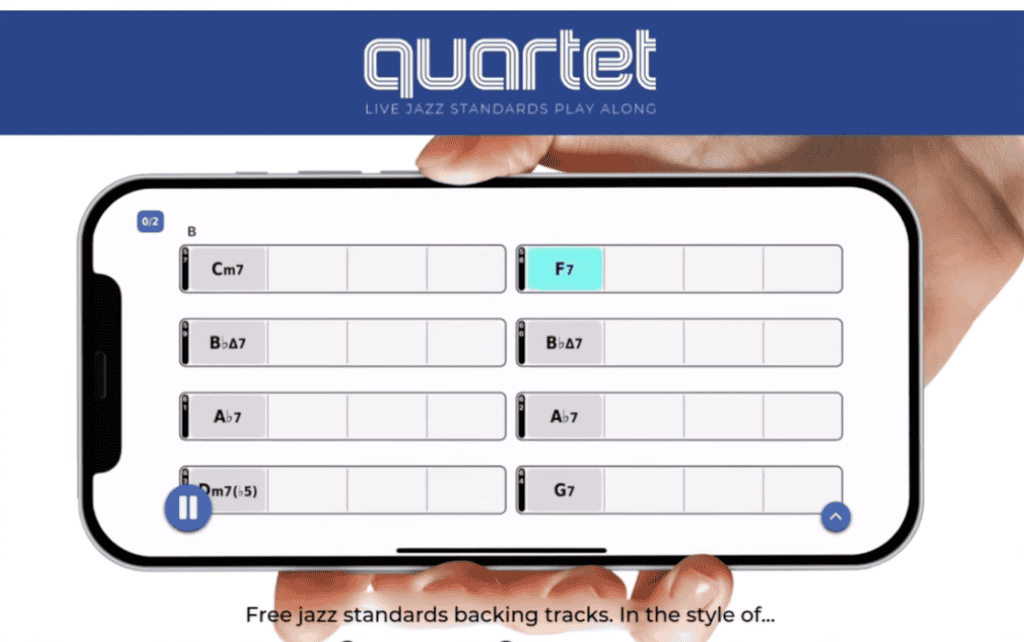
Quartet was the first app of this kind that I came across. It’s a collection of actual recordings of real musicians on real instruments playing popular jazz standards.
The playing and recording on these tracks is excellent quality. You can adjust the tempo of the recordings, but there’s a catch. The sound will distort more and more the further you get away from the original. A 10-20% change can be usable though.
Same goes for the key — the further from the original, the weirder it starts to sound, with the bass and piano playing in ranges they wouldn’t normally play in.
All these apps have a rhythm section of piano, bass and drums, but Quartet is the only one that gives you a soloist part as well. Quartet offers alternate mixes of each tune as a separate download. Unfortunately, it is the only one of these apps that does not allow you to adjust the volume of the individual instruments with a mixer.
Another unique feature of the Quartet app is that it has introductions rather than just starting right at the top of the tune every time. This way you can turn off the count-in and I imagine people could even use these tracks to perform one-man shows in a pinch.
You can loop sections too, which I’d recommend for the parts of songs you’re struggling to improvise over. There are also chord voicings for piano, guitar and ukulele if that’s useful to you. And it’s a one-time purchase, not a subscription.
My gripes with Quartet are mostly interface issues. The mobile app uses these Blue Note inspired album cover mockups instead of a simple song list — they look cool but make it harder to find what you’re looking for quickly.
On mobile, it only works in landscape mode, which limits how much of the chord progression you can see without scrolling. And it’s not just one app. Instead of just unlocking the additional volumes inside the same app, each new collection of tunes is its own separate app. None of those issues stop Quartet from being a solid practice tool that is mostly very well executed.
The Feel Book
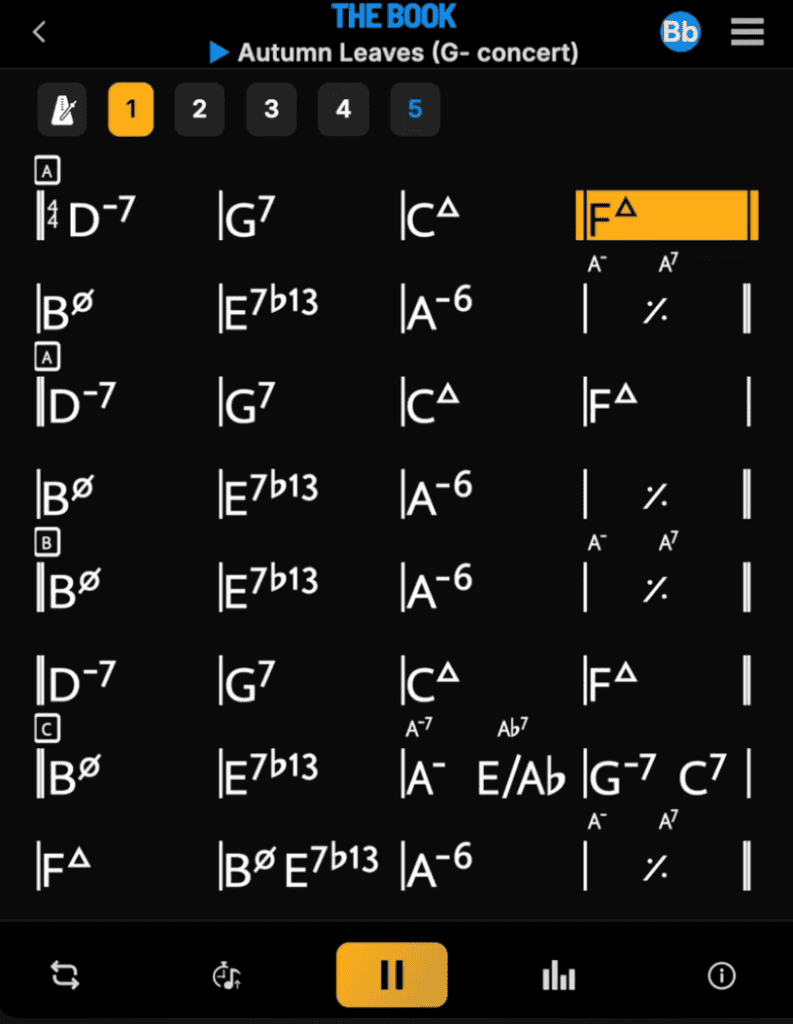
The Feel Book is another new app that aims to give musicians a much better alternative to practicing along with robots. The recordings are extremely high quality and feel very live. The playing is top notch all around.
It’s more minimalist than Quartet which allows you to focus more on the music. You can change key and tempo with the same limitations as in Quartet.
I much prefer the user interface here. It’s simple and I can see the entire chord progression without scrolling. They also include some history about each tune and notes on the chord progressions and harmonic choices used which is a very nice touch.
The main downside for the Feel Book is the smaller library. At the time of filming this it appears to have about 120 tunes. That’s more than enough to keep anybody busy for a very long time though.
I’ve had this app for several months now and they have been adding new tunes regularly which is great. It’s also a subscription rather than a one-time purchase.
For a year you’re only paying $50 or $60 though which is well worth what you’re getting in my opinion. I’m happy to pay that to play along with these great musicians whenever I want. There’s one more app that I just got recently that I want to mention.
RealPlay
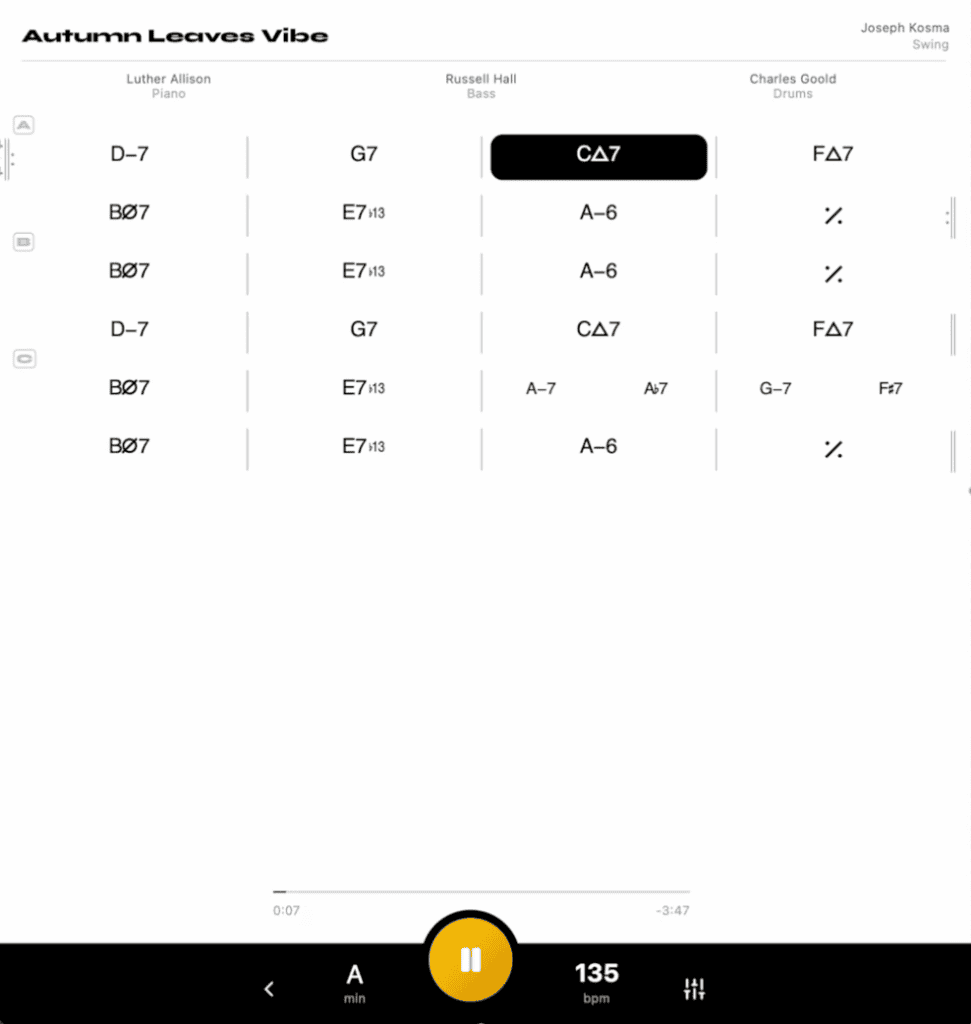
RealPlay has a simple interface — just a clean list of tunes, keys and tempos. The musicians are all great so you get to play with a top notch rhythm section. But there is one small problem for me.
The mix often has the bass way too loud. On some tunes it’s actually distorting both on my Yamaha monitors and my air pods pro. This can be corrected by turning the bass down in the mixer, but I hope they can remix these tracks to fix that.
RealPlay is also the only one of these apps that doesn’t allow you to loop sections. I use that feature all the time so I hope they add it in at some point. I paid $20 bucks for a year subscription which I think is a very fair price considering what you get.
BetterTrax
BetterTrax is another backing track source that doesn’t have an app. Instead you pay once and get audio files that you can just play on any device the way you normally listen to music. The chord charts are pdfs that you can also download or print out.
It’s more old school but some people prefer that. And it’s not just jazz tunes, the collection includes lots of popular soul standards as well.
This is a project that I built with the help of the musicians on the recordings so if you want to check that out Use the code BETTERTRAX to get an extra 25% off anything you purchase there.
With all these choices, what should you choose?
Which Backing Track Solution is Right for You?
Here’s my take on this. We are at peak backing tracks.
When I was coming up we only had Jamey Aebersolds which are great, but what happened is we would end up only having one option for playing any given tune. One tempo, one set of chord changes, one groove.
Now, with so many options available, you can practice your favorite tunes with different recordings. Each one presenting new harmonic choices and fresh approaches. If you’re serious about practicing and love to play over backing tracks, I would easily recommend using all of these resources. That’s what I do.
But what if you don’t want to spend any money?
Better Than Backing Tracks
There is a practice method which doesn’t use any apps or backing tracks. It’s completely free and will speed up your progress. Most people won’t ever practice this way though.
I’m talking about playing tunes where you keep the time and form yourself with either just the metronome or no accompaniment at all.
Backing tracks can end up being a crutch that covers up our shortcomings. If we take away the backing track are you able to keep good time, follow the form and clearly outline the chord changes all by yourself?
If you can’t do that yet, don’t worry, just go read this next article where I show you exactly what to practice so that you can learn to play solos over your favorite tunes that sound great and nail the chord changes.





2 thoughts on “Why I Ditched iReal Pro, and What I Use Now”
I’m using Tomplay to practice and I really love it. Its Jazz collection isn’t big but it has an extremely large collection of music from all genres, most of which are available in a few different levels of difficulty.
I use IReal and I think is the best solution to study. I don’t mind if the sound is poor.
I need to Study melody and chord exchange and then when I want a real play I meet my group (we are a quintet) and prepare the new song and the repertoire.